Bring the files you already own
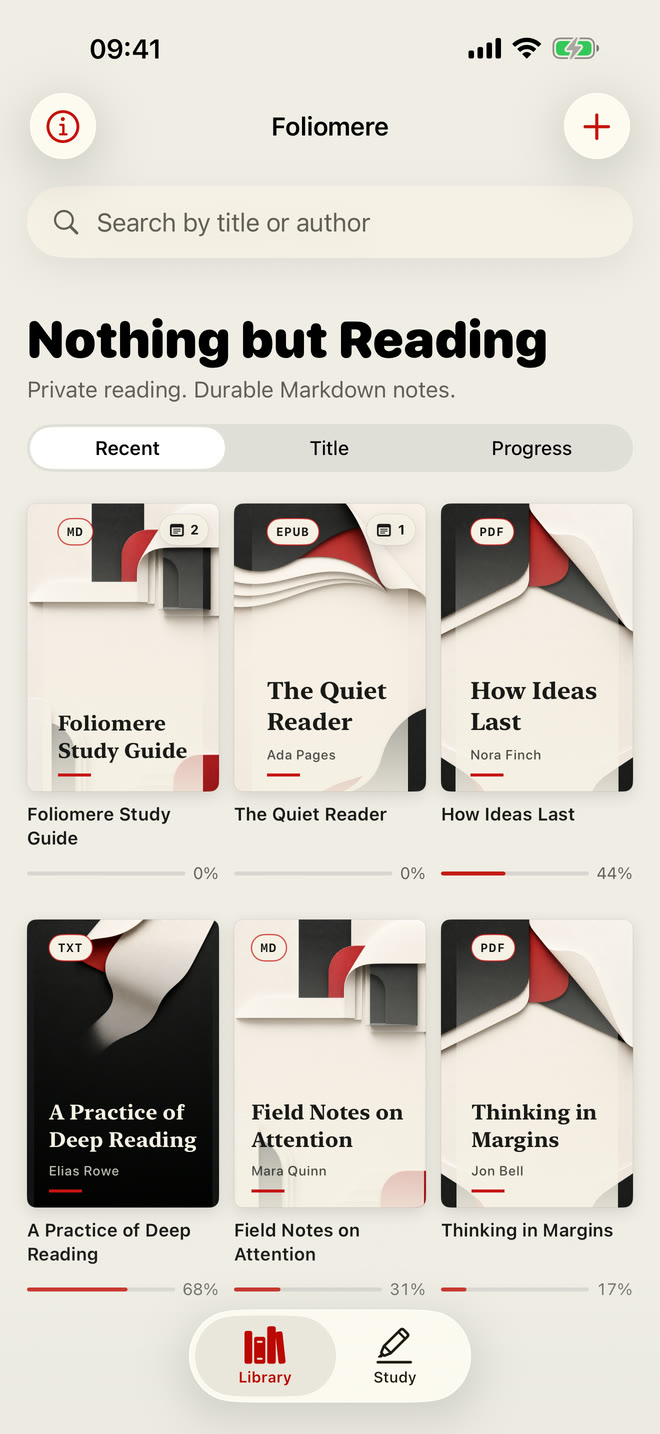
Import EPUB, PDF, TXT, and Markdown through the iOS document picker. Each format keeps a reading experience suited to the document.
 Foliomere
Foliomere for iPhone & iPad
A private, local-first reader for EPUB, PDF, TXT, and Markdown. Read with focus, write the notes you actually want to keep, and take them with you as ordinary Markdown.
Free to download · Optional one-time Pro purchase · No subscription
Foliomere in 45 seconds
See how your own files move from a quiet shelf to focused reading, deliberate notes, Recall, and ordinary Markdown you can keep.
A reader, not an inbox
Foliomere keeps the source close and the interface quiet. Tap or swipe through paged EPUB and TXT, switch to continuous reading when it fits, search and navigate chapters, then leave with a clear next thought.
Import EPUB, PDF, TXT, and Markdown through the iOS document picker. Each format keeps a reading experience suited to the document.
Use left and right tap zones, interactive swipes, page transitions, continuous scroll, chapter navigation, and precise progress recovery.
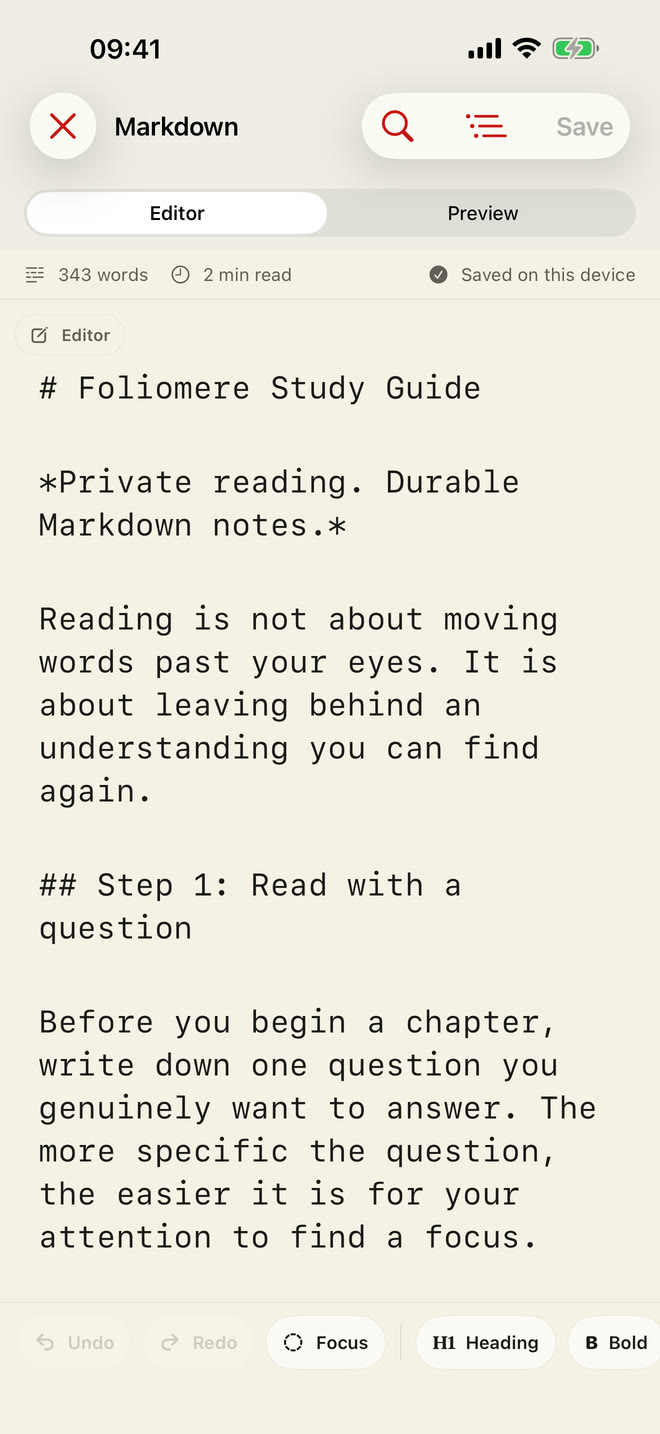
Read, render, search, outline, edit, preview, and format Markdown without leaving the reading flow.
Bookmarks and highlights stay inside the book. Study gathers only the notes you actively wrote, grouped by source.
Your library and reading data remain in the app sandbox by default. Imported EPUB content is blocked from automatic network requests.
Save, share, or maintain Markdown note copies in a folder you choose, including an Obsidian-compatible workflow.
Follow the iPhone guide to export reading notes to Obsidian.
From reading to recall
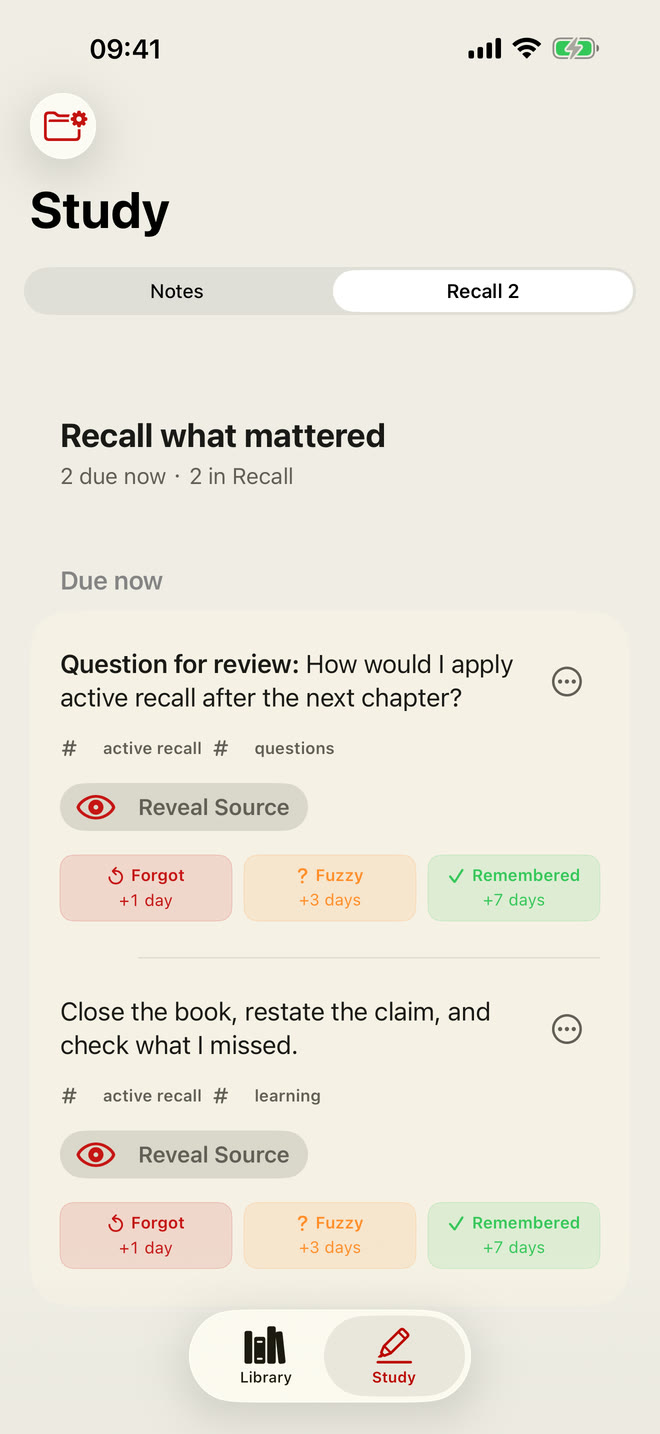
Foliomere does not turn every mark into homework. Write a note when an idea deserves to survive, shape it in Markdown, then decide what belongs in Recall.
Use Editor and Preview, outline navigation, find and replace, focus mode, typing assistance, formatting tools, and word-level document statistics. Your document remains an ordinary Markdown file.
Tag written notes, place selected ideas into a simple Recall queue, reveal the source when needed, and respond with Forgot, Fuzzy, or Remembered.
Start free. Upgrade once.
Support
Foliomere imports through the iOS document picker. By default, progress, highlights, bookmarks, and notes stay in the app sandbox. External Markdown copies are created only when you choose an export destination.
Confirm that the file is a valid EPUB, PDF, TXT, or Markdown document under 250 MB. Select the original file again from Files.
Progress and annotations save automatically. Open Bookmarks & Notes inside a book; open Study for written notes.
Removing a book deletes its local copy, bookmarks, and highlights. Written notes remain in Study and can be saved, shared, or exported.
Pro is a one-time purchase, not a subscription. Restore it in Library with the same Apple Account used for purchase.
Include your device model, iOS version, file format, and reproduction steps. Please do not send sensitive documents or files you are not authorized to share.